
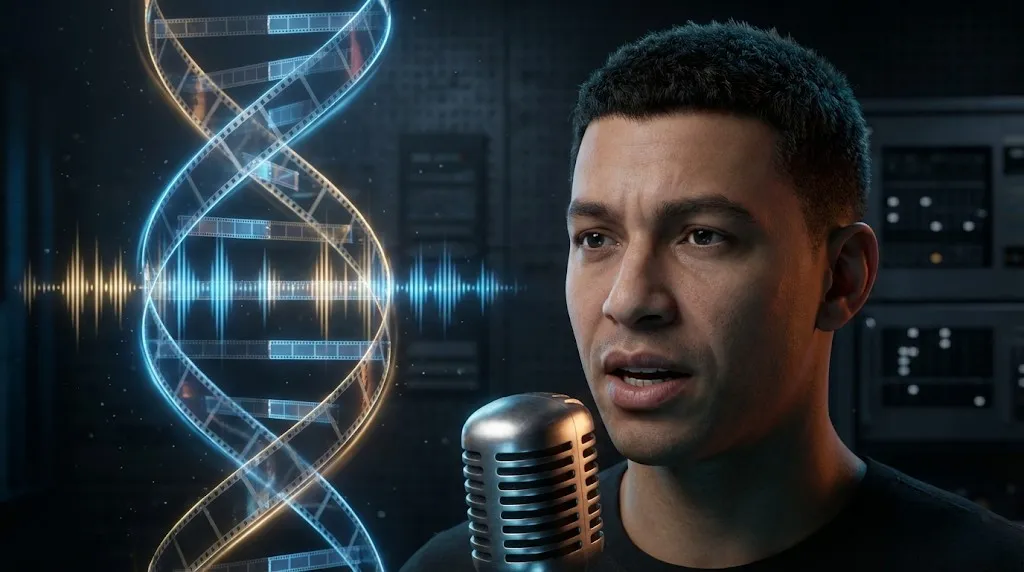
Seedance 1.5 Pro Review: ByteDance''s Audio-Visual Masterpiece with Perfect Lip-Sync
If 2025 ended with the open-source revolution of LTX-2, 2026 is starting with a demonstration of raw industrial power. Seedance 1.5 Pro, the latest foundation model from ByteDance (the team behind TikTok/Doubao), has officially entered the arena.
Like LTX-2, it features Native Audio-Visual Joint Generation—creating sound and video in a single pass. But Seedance 1.5 Pro goes a step further. It targets the "Holy Grail" of AI video: Character Dialogue and Narrative Consistency.
While you can't run this on your local RTX 4090 (yet), its capabilities via the Volcano Engine API are reshaping how commercial ads and short dramas are made. In this review, we analyze the Seedance 1.5 arxiv paper (2512.13507) and compare it directly with its open-source rival, LTX-2.
Under the Hood: The "Dual-Branch" DiT Architecture
Unlike traditional video models that treat audio as an afterthought, Seedance 1.5 Pro is built on a Dual-Branch Diffusion Transformer (DiT).
- Visual Branch: Handles pixel generation, motion dynamics, and lighting.
- Audio Branch: Generates waveforms, background ambience, and dialogue.
- The Magic: A "Cross-Modal Joint Module" bridges these two branches at every step of the diffusion process.
Why this matters: When a character in Seedance 1.5 Pro speaks, the model isn't just "matching" lip movements to a pre-recorded track. It is generating the shape of the mouth and the sound of the phoneme simultaneously. This results in Seedance 1.5 lip sync performance that rivals manual animation.
Killer Feature 1: Precision Lip-Sync & Dialects
This is where Seedance 1.5 Pro vs LTX-2 becomes a one-sided fight. While LTX-2 is great for atmospheric sounds (explosions, rain), Seedance excels at human performance.
- Multilingual Support: Native support for Mandarin, English, Japanese, and Korean.
- Dialect Mastery: Surprisingly, the model supports specific Chinese dialects (like Sichuanese or Cantonese), preserving the cultural cadence of the speech.
- Use Case: Ideal for AI short dramas (短剧) and global e-commerce ads where dubbing usually breaks immersion.
Note: The model can generate a character acting out lines from a text script with perfect synchronization, a feature now fully available on our platform.
Killer Feature 2: Cinematic Camera Control
Motion control has always been a weakness of generative video. Seedance 1.5 Pro introduces a "Camera Control Interface" that understands cinematographic terminology.
You can explicitly prompt for complex camera movements:
- "Hitchcock Zoom" (Dolly Zoom): The background compresses while the subject stays stationary.
- "Long Take Tracking": Following a subject for 10+ seconds without morphing.
- "Whip Pan": Fast transition between two subjects.
For creators, this means Seedance 1.5 motion control is not just random luck—it's a directable tool.
Comparison: Seedance 1.5 Pro vs LTX-2
| Feature | Seedance 1.5 Pro (ByteDance) | LTX-2 (Lightricks) |
|---|---|---|
| Architecture | Dual-Branch DiT (Closed) | Single-Stream DiT (Open) |
| Access | Volcano Engine API | Local / ComfyUI |
| Lip-Sync | Perfect (Dialogue Focus) | Basic (Sound Effects Focus) |
| Motion | Complex (Camera Control) | Fast & Fluid |
| Cost | Per Token / API Call | Free (Hardware Dependent) |
| Best For | Storytelling & Ads | Music Videos & Social |
Integration: How to Access Seedance 1.5 Pro
Since Seedance is an API-based model, you generally cannot load .safetensors locally like LTX-2.
The Challenge with Local ComfyUI
While some Seedance 1.5 ComfyUI workflow wrappers exist, they require you to apply for a specialized enterprise account with ByteDance's Volcano Engine and manage complex API keys and billing.
The Solution: Use Our Integration
We have integrated the Seedance 1.5 Pro API directly into our website, making it accessible to everyone without enterprise hurdles.
- No API Keys needed: We handle the backend connection.
- Instant Access: Use the Lip-Sync and Camera Control features via our simple UI.
- Cost-Effective: Generate videos without managing cloud infrastructure.
Try Seedance 1.5 Pro Online (Start creating professional AI video).
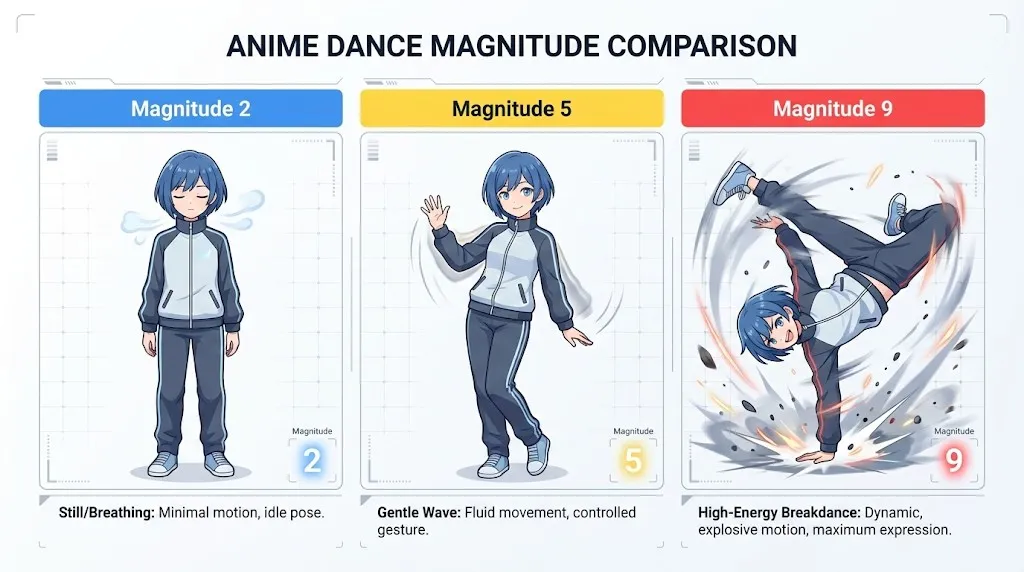
The "Motion Magnitude" Parameter
One technical detail from the Seedance 1.5 arxiv paper worth noting is the "Motion Magnitude" control.
- Low (1-3): Subtle movements, micro-expressions (great for interviews).
- High (7-10): Exaggerated anime-style action or dance moves.
If you are using Seedance 1.5 for dance generation, crank this parameter up to 8 to ensure the limbs move fluidly without "collapsing" into the torso.
Conclusion
Seedance 1.5 Pro is the "Adult in the Room" for AI video. While open-source models like LTX-2 are fun and accessible, Seedance offers the consistency and control required for professional production pipelines.
If your project involves characters speaking, complex narrative camera moves, or requires strict adherence to a script, Seedance 1.5 Pro is currently unrivaled. It proves that the future of AI video isn't just about pixels—it's about the seamless marriage of Sound and Vision.
LTX-2 (LTX Video) Review: The First Open-Source "Audio-Visual" Foundation Model
Lightricks LTX-2 revolutionizes AI video: Native 4K, 50 FPS, synchronized audio, and runs on 16GB VRAM with FP8. Try it online or check the ComfyUI guide.
Kling 3 4K vs Pro (1080p): When 4K Is Worth It-and When It's Not
A practical decision framework for choosing Kling 3 4K vs Pro (1080p): when 4K improves detail, motion, and compression-and when 1080p is the smarter default.
Kling 3 4K Workflow: Prompts, Shot Planning, and Export Settings That Actually Hold Up
A repeatable Kling 3 4K workflow to get usable deliverables: two-pass iteration, prompt templates, safe complexity rules, and export guidance to survive platform recompression.
Kling 3 Native 4K: What It Means for Quality, Motion, Compression, and Real-World Use
Learn what Kling 3 native 4K changes vs 1080p: sharper detail, cleaner motion, fewer artifacts, and when 4K is actually worth it.
HappyHorse AI Video Generator: What the New Model Can Do
Discover HappyHorse, a new AI video generation model with text-to-video, image-to-video, video-to-video, native audio, and creator-friendly workflows.
Wan 2.7 Image Meets Kling 2.6: The Ultimate AI Visual Workflow
Discover how the new Wan 2.7 Image model's advanced editing and 3K text rendering capabilities create the perfect asset pipeline for Kling 2.6 video generation.
The Next Generation of Generation: Unpacking the Wan 2.7 Upgrade
The highly anticipated Wan 2.7 Video release marks a turning point, introducing a multi-modal injection system and a studio-grade workflow for creators.
The Zero-Cost MoCap Studio: Mastering Kling 3.0 Motion Control for Extreme Action Physics
Master Kling 3.0 Motion Control for extreme action physics. Learn how to create cinematic combat choreography, parkour sequences, and VFX-grade animation without expensive motion capture suits.