
LTX-2 (LTX Video) Review: The First Open-Source "Audio-Visual" Foundation Model
Just when we thought the AI video war was settling down between Hunyuan and Wan 2.1, Lightricks dropped a bombshell. LTX-2 (formerly known as LTX Video) has officially been released with open weights, and it is not just another video generator.
It is the world's first open-weight foundation model capable of joint audiovisual generation—meaning it creates video and synchronized audio simultaneously in a single pass.
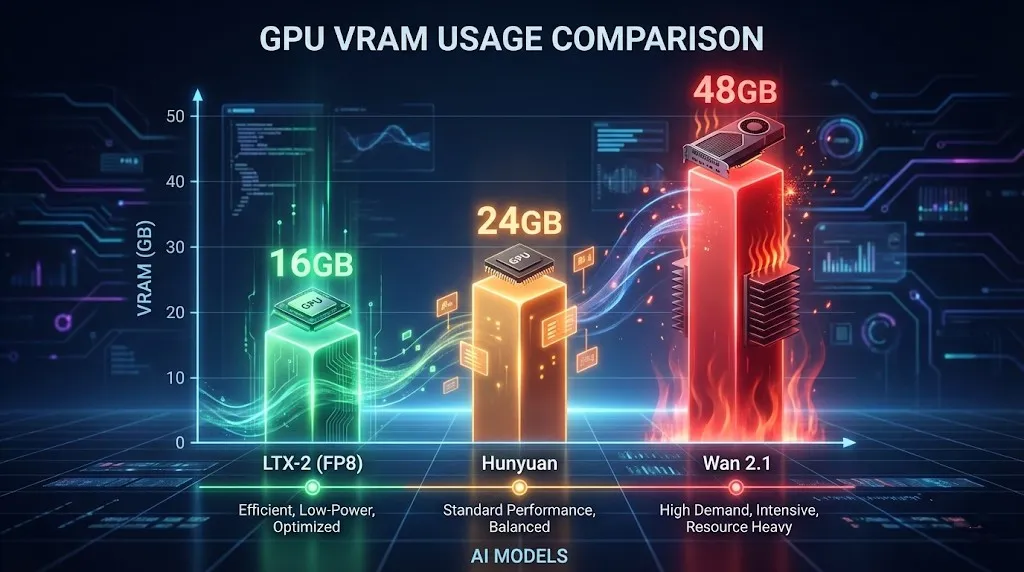
But the real headline for local users? Efficiency. Unlike the VRAM-hungry Hunyuan Video, LTX-2 runs comfortably on 16GB consumer GPUs (using NVFP8 quantization), delivering near real-time generation speeds that make other models feel like they are rendering in slow motion.
If you are looking for an open source AI video generator in 2026 that generates sound and won't melt your GPU, this is it. In this guide, we will dive deep into the specs, compare LTX-2 vs Hunyuan Video, and show you how to use it immediately.
The Innovation: Joint Audio-Video Generation
Lightricks has solved a massive pain point: sound design. Built on a novel DiT (Diffusion Transformer) architecture, LTX-2 understands the correlation between motion and sound.
- How it works: When you prompt "a glass shattering," the model generates the visual shards flying and the synchronized sound of breaking glass instantly.
- Why it matters: No more searching for stock sound effects or trying to sync audio in post-production. It's all generated natively.
Key Specifications
- Resolution: Native 4K support (Optimized for 720p on local GPUs).
- Frame Rate: Up to 50 FPS for smooth motion (Standard is 24 FPS).
- Audio: Native synchronized audio generation (48kHz stereo).
- License: Free for Commercial Use (for entities with <$10M annual revenue).
Hardware Requirements: Can You Run It?
This is where LTX-2 shines. While Run LTX Video locally 24GB VRAM is ideal for 4K, the model uses NVFP8 quantization to fit on mid-range cards.
Minimum Specs for 720p (4 Seconds)
- GPU: NVIDIA RTX 3080 / 4070 Ti / 4080 (12GB - 16GB VRAM).
- RAM: 32GB System RAM.
- Storage: 50GB SSD space.
For those asking, "Run LTX Video locally 16GB VRAM"—Yes, absolutely. By enabling the FP8 text encoder and model weights in ComfyUI, you can generate 720p / 24fps / 4s clips without hitting OOM errors.
LTX-2 vs Hunyuan Video: The Showdown
We tested both models extensively. Here is the verdict for 2026.
| Feature | LTX-2 (Lightricks) | Hunyuan Video | Wan 2.1 |
|---|---|---|---|
| Audio | Native Sync (Winner) | No | No |
| Speed | Fast (FP8) | Moderate | Slow (High Quality) |
| VRAM | 16GB Friendly | 24GB+ Recommended | 48GB+ (Enterprise) |
| Coherence | Good (Short clips) | Excellent | Best in Class |
| License | Community (<$10M) | Open Source | Open Source |
Verdict: Choose LTX-2 for social media content, music visualizers, and scenarios where sound is crucial. Choose Hunyuan or Wan 2.1 if you need Hollywood-level visual coherence and don't care about audio.
Tutorial: How to Use LTX-2 (Online vs Local)
You have two options to run this model.
Option 1: The Easiest Way (Recommended)
You don't need a $2000 GPU to use LTX-2. We have integrated the full model directly into our platform.
- No installation required.
- Fast generation on our cloud.
- Instant Audio-Visual preview.
Try LTX-2 Online Now (Click to start generating).
Option 2: Local ComfyUI Setup (For Developers)
If you prefer to run it locally, follow these steps:
- Install Custom Nodes: Search for
ComfyUI-LTXVideoin Manager. - Download Weights: Get
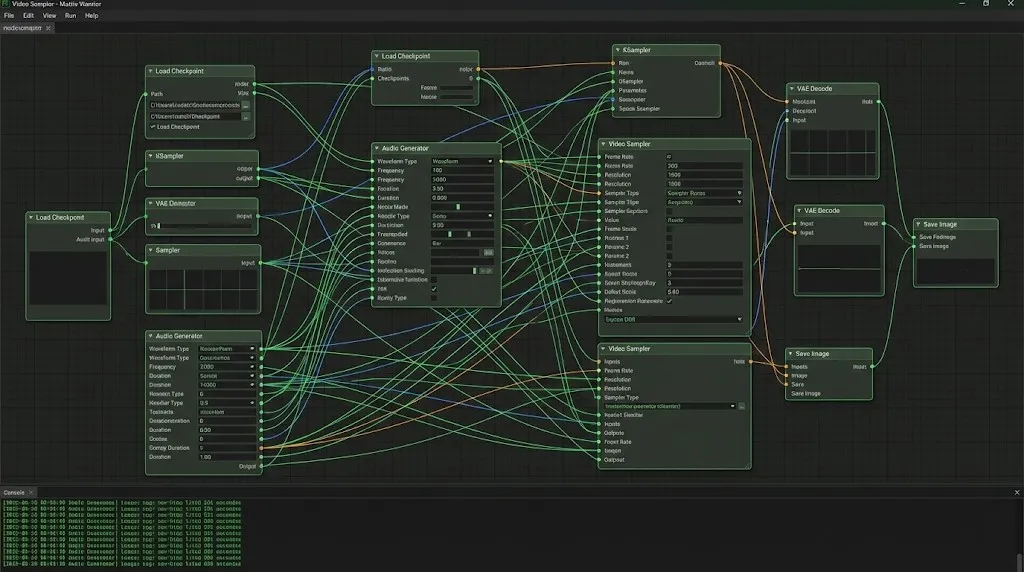
ltx-video-2b-v0.9.safetensors(FP8 version) from Hugging Face. - Load Workflow: Build a standard workflow connecting the LTX Loader to the Sampler.
- Queue Prompt: Set frames to 97 (approx 4 seconds) and enjoy.
Pro Tip: Local setup often requires troubleshooting Python dependencies. If you encounter errors, we recommend switching to our online tool for a hassle-free experience.
LTX-2 Prompt Engineering Tips
Getting good results requires specific prompting strategies. LTX-2 understands both visual and audio cues.
1. Audio-Visual Prompts
Describe the sound inside your visual prompt:
- Prompt: "A cinematic shot of a thunderstorm, lightning strikes a tree, loud thunder crack, rain pouring sound."
- Result: The model will sync the flash of light with the audio peak of the thunder.
2. Camera Control
Use these to direct the shot:
LTX Video camera control prompts: "Camera pan right", "Slow zoom in", "Drone shot", "Low angle".- Example: "Cinematic drone shot flying over a cyberpunk city, neon lights, fog, 4k, highly detailed, electronic synthesizer music background."
3. The Negative Prompt List
To avoid the "melting face" effect common in fast models, use this LTX Video negative prompts list:
"Blurry, distorted, morphing, jittery, watermarks, text, bad anatomy, static, frozen, silence, muted."
FAQ: Troubleshooting & Optimization
Q: My local generation is just a black screen.
A: This usually happens if you are using the wrong VAE dtype. Ensure your VAE is set to bfloat16 if your GPU supports it, or float32 if you are on older cards.
Q: LTX-2 resolution settings 720p crash my PC.
A: Enable --lowvram in your ComfyUI bat file. Also, ensure your "frame count" follows the formula (8 * n) + 1 (e.g., 97, 121) for optimal tensor alignment.
Q: Can I use this commercially? A: Yes! If your annual revenue is under $10 Million USD, the LTX-2 Community License allows full commercial use.
Conclusion
Lightricks LTX-2 is a pivotal moment for open-source AI. It is the first time we have had a model that combines speed, audio, and accessibility in one package.
While it might not beat Wan 2.1 in raw pixel-perfect coherence, the ability to generate synchronized audio-visual clips is revolutionary. For most creators, LTX-2 is the tool that finally brings sound to the AI video party.
Seedance 1.5 Pro Review: ByteDance''s Audio-Visual Masterpiece with Perfect Lip-Sync
While LTX-2 opened the door, Seedance 1.5 Pro perfects it. Featuring native audio-visual generation, precise lip-sync, and complex camera control via Volcano Engine.
Kling 3 4K vs Pro (1080p): When 4K Is Worth It-and When It's Not
A practical decision framework for choosing Kling 3 4K vs Pro (1080p): when 4K improves detail, motion, and compression-and when 1080p is the smarter default.
Kling 3 4K Workflow: Prompts, Shot Planning, and Export Settings That Actually Hold Up
A repeatable Kling 3 4K workflow to get usable deliverables: two-pass iteration, prompt templates, safe complexity rules, and export guidance to survive platform recompression.
Kling 3 Native 4K: What It Means for Quality, Motion, Compression, and Real-World Use
Learn what Kling 3 native 4K changes vs 1080p: sharper detail, cleaner motion, fewer artifacts, and when 4K is actually worth it.
HappyHorse AI Video Generator: What the New Model Can Do
Discover HappyHorse, a new AI video generation model with text-to-video, image-to-video, video-to-video, native audio, and creator-friendly workflows.
Wan 2.7 Image Meets Kling 2.6: The Ultimate AI Visual Workflow
Discover how the new Wan 2.7 Image model's advanced editing and 3K text rendering capabilities create the perfect asset pipeline for Kling 2.6 video generation.
The Next Generation of Generation: Unpacking the Wan 2.7 Upgrade
The highly anticipated Wan 2.7 Video release marks a turning point, introducing a multi-modal injection system and a studio-grade workflow for creators.
The Zero-Cost MoCap Studio: Mastering Kling 3.0 Motion Control for Extreme Action Physics
Master Kling 3.0 Motion Control for extreme action physics. Learn how to create cinematic combat choreography, parkour sequences, and VFX-grade animation without expensive motion capture suits.