
Kimi k2.5 Released: The Ultimate Partner for Kling 2.6 Video Workflow
Kimi k2.5 was released yesterday, and the AI community is already buzzing about its groundbreaking capabilities. With native video understanding and an impressive 256k context window, this isn't just another incremental update—it's a paradigm shift that fundamentally changes how we approach AI video production.
For creators already working with Kling 2.6, the timing couldn't be better. The synergy between Kimi k2.5 and Kling 2.6 creates a workflow that is greater than the sum of its parts. While Kling 2.6 delivers industry-leading video generation quality with advanced motion control, Kimi k2.5 provides the intelligent orchestration layer. This guide explores exactly how to harness this powerful combination to transform sporadic video generation into a cohesive, automated production pipeline.
Why Kimi k2.5 Changes Everything for Kling 2.6 Users
The release of Kimi k2.5 addresses one of the most persistent challenges in AI video workflows: the disconnect between ideation and execution. Previously, creators using Kling 2.6 would spend hours crafting prompts, generating videos, reviewing outputs, and manually iterating.
Kimi k2.5's new capabilities eliminate this friction. By leveraging its multimodal understanding, you can now create intelligent feedback loops. What makes this combination particularly powerful is how Kimi's 256k context window complements Kling 2.6's technical capabilities. While Kling 2.6 excels at executing high-quality visuals, Kimi excels at planning and coordinating complex multi-shot sequences.
For professionals building AI video workflows, this partnership offers something unprecedented: the ability to maintain narrative and visual consistency across dozens of Kling 2.6 generated clips without constant manual intervention.
Kimi k2.5 Video Understanding: The Missing Piece
The standout feature of Kimi k2.5 is undoubtedly its native video understanding. Unlike previous language models that could only process text, Kimi can analyze video content frame by frame. This capability transforms how we approach quality control in Kling 2.6 workflows.
When you generate a video with Kling 2.6, you can now feed that output directly into Kimi k2.5 for analysis. The model can:
- Identify inconsistencies in character appearance.
- Evaluate camera movement smoothness.
- Assess lighting continuity against your original prompt.
This automated review process catches issues that might take human reviewers multiple viewings to notice. More importantly, Kimi k2.5 doesn't just identify problems—it suggests solutions. Based on its analysis, it can generate refined Kling 2.6 prompts that address specific issues while preserving successful elements. This creates a self-improving generation loop that continuously enhances output quality.
The "Director" Agent: Managing Complex Kling 2.6 Scripts

One of the most exciting applications is creating a "Director" agent. With its massive context window, Kimi k2.5 can maintain a comprehensive understanding of entire movie scripts, character arcs, and visual continuity requirements.
This manifests in practical ways for Kling 2.6 users:
- Scene Breakdown: Kimi breaks down complex narratives into discrete shots optimized for Kling 2.6's generation parameters (e.g., 5-second or 10-second clips).
- Character Consistency: It maintains detailed character profiles. When generating a series of clips, Kimi ensures the prompt descriptions for Kling 2.6 remain consistent regarding clothing and behavioral traits.
- Camera Logic: Kimi coordinates complex camera movements. By understanding the spatial relationships in previous shots, it plans subsequent Kling 2.6 generations that maintain coherent geography.
Kling 2.6 Prompt Engineering with Kimi k2.5
Effective Kling 2.6 prompt engineering requires understanding both the creative goal and the model's technical parameters. Kimi k2.5 excels at bridging this gap.
The process begins with natural language descriptions. Kimi analyzes these and enriches them with technical parameters optimized for Kling 2.6's architecture. This includes specifying appropriate motion control settings, camera angles (-camera_zoom, -camera_pan), and lighting conditions.
For example, when requesting a cinematic tracking shot, Kimi automatically generates the specific parameters that Kling 2.6 requires to achieve that effect. It effectively acts as a senior prompt engineer, learning which patterns work best for different types of scenes and continuously refining its strategy.
Generate Storyboards with Kimi for Kling 2.6
Storyboarding is traditionally manual, but Kimi k2.5 transforms it into an intelligent workflow. By analyzing scripts, Kimi can generate detailed text-based storyboards that serve as precise blueprints for Kling 2.6 generation.
These storyboards include technical specifications for each shot: recommended duration, transition timing, and pacing. It can suggest where to use Kling 2.6's motion brush features for maximum impact versus where static shots suffice. For teams, these storyboards serve as universal reference points, reducing miscommunication and accelerating the production timeline.
Kling 2.6 Consistency Check: Automated QA
Maintaining visual consistency is the holy grail of AI video. Kimi k2.5 addresses this through automated consistency checks.
For a feature-length project involving hundreds of Kling 2.6 generations, manual review is impractical. Kimi k2.5 can process libraries of content, identifying outliers in color grading or character features. When you manually adjust outputs to fix these issues, Kimi learns from those corrections, incorporating them into future prompt generation cycles.
Note: While AI checking is powerful, we always recommend a final human review for critical commercial projects.
Visual Programming for Video: Coding the Workflow
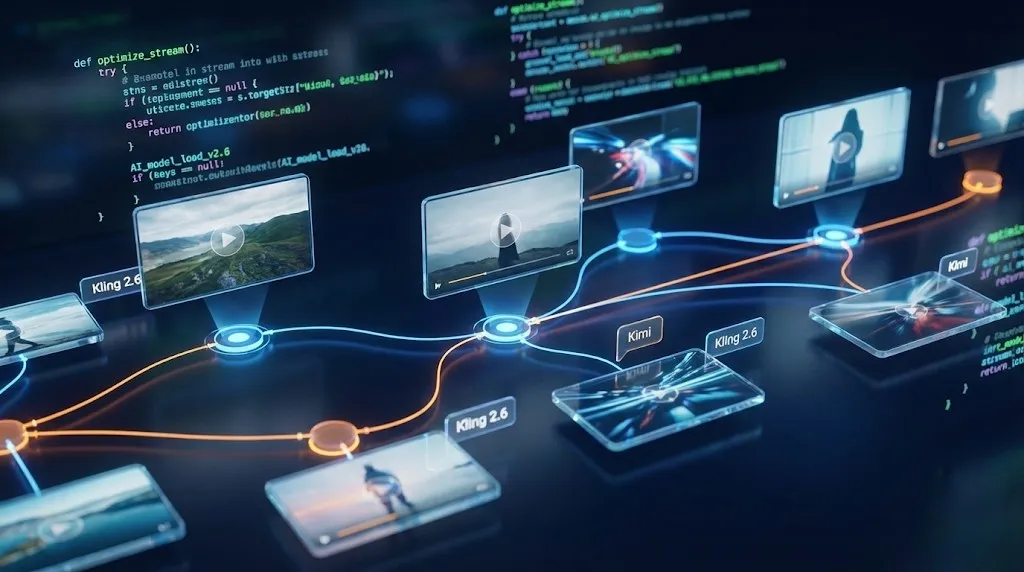
For technically inclined creators, Kimi k2.5 opens new possibilities in visual programming for video. By generating code that interfaces with the Kling API (if available) or automation scripts, Kimi enables sophisticated pipelines.
Users can describe desired behaviors in natural language, and Kimi k2.5 translates those into Python or JavaScript automation scripts. This allows for batch processing where Kimi manages the queue of Kling 2.6 tasks, handles file naming, and organizes outputs automatically.
AI Video Swarm Workflow: Scaling Production
The combination enables what we call "swarm workflows"—highly parallelized production where multiple Kling 2.6 generation tasks execute simultaneously.
In this model, Kimi k2.5 acts as the orchestrator. It prioritizes tasks based on dependencies, ensuring foundational elements (like character references) are generated before dependent action sequences. This parallel processing can reduce production timelines from weeks to days. As clips complete, Kimi reviews them, queuing regenerations before the next batch begins.
Building Your First Workflow
Getting started is straightforward:
- Outline: Describe your narrative to Kimi k2.5.
- Plan: Review the Kimi-generated shot list and storyboard.
- Generate: Let Kimi feed optimized prompts to Kling 2.6.
- Assemble: Use Kimi's feedback to compile clips into a sequence.
The partnership between Kimi k2.5 and Kling 2.6 represents a significant milestone. By combining intelligent orchestration with world-class generation, creators can achieve professional results with unprecedented efficiency.
Ready to start? Visit Moonshot AI to access Kimi k2.5, and open Kling 2.6 to begin your creation journey.
Kling 3 4K vs Pro (1080p): When 4K Is Worth It-and When It's Not
A practical decision framework for choosing Kling 3 4K vs Pro (1080p): when 4K improves detail, motion, and compression-and when 1080p is the smarter default.
Kling 3 4K Workflow: Prompts, Shot Planning, and Export Settings That Actually Hold Up
A repeatable Kling 3 4K workflow to get usable deliverables: two-pass iteration, prompt templates, safe complexity rules, and export guidance to survive platform recompression.
Kling 3 Native 4K: What It Means for Quality, Motion, Compression, and Real-World Use
Learn what Kling 3 native 4K changes vs 1080p: sharper detail, cleaner motion, fewer artifacts, and when 4K is actually worth it.
HappyHorse AI Video Generator: What the New Model Can Do
Discover HappyHorse, a new AI video generation model with text-to-video, image-to-video, video-to-video, native audio, and creator-friendly workflows.
Wan 2.7 Image Meets Kling 2.6: The Ultimate AI Visual Workflow
Discover how the new Wan 2.7 Image model's advanced editing and 3K text rendering capabilities create the perfect asset pipeline for Kling 2.6 video generation.
The Next Generation of Generation: Unpacking the Wan 2.7 Upgrade
The highly anticipated Wan 2.7 Video release marks a turning point, introducing a multi-modal injection system and a studio-grade workflow for creators.
The Zero-Cost MoCap Studio: Mastering Kling 3.0 Motion Control for Extreme Action Physics
Master Kling 3.0 Motion Control for extreme action physics. Learn how to create cinematic combat choreography, parkour sequences, and VFX-grade animation without expensive motion capture suits.
Mastering Audio-Visual Sync: My Hands-On Guide to Kling Video 3.0 Omni
A comprehensive guide to Kling Video 3.0 Omni's Native Audio-Visual capabilities. Learn how to achieve accurate mouth movement AI, perfect lip-sync, and complex emotion reproduction for professional-grade AI video content.