
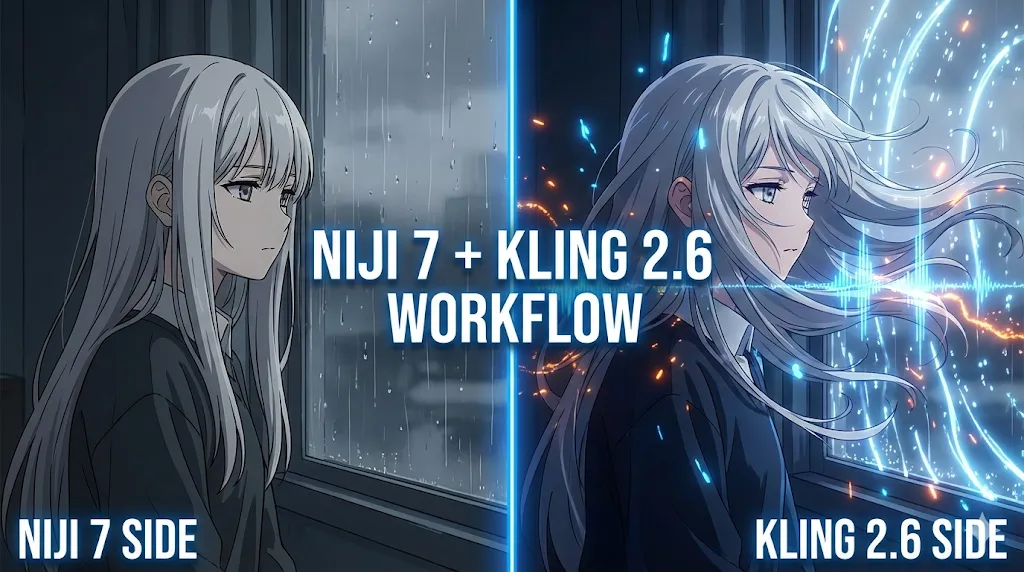
Kling 2.6 & Niji 7 Workflow: How to Create Viral AI Anime Dramas (2026 Guide)
[!NOTE] Update January 2026: This comprehensive guide has been updated to reflect the latest features of Niji 7 (released Jan 9, 2026) and Kling 2.6's breakthrough Native Audio capabilities.
Kling 2.6 & Niji 7 Workflow: How to Create Viral AI Anime Dramas
In the fast-evolving landscape of AI content creation, 2026 has introduced a power couple that is reshaping the "Anime Drama" (Manga Drama) niche: Niji 7 and Kling 2.6.
For years, creators struggled with a fragmented workflow—using one tool for images, another for animation, and a third for dubbing. The release of Kling 2.6 has fundamentally changed this equation. By integrating cinema-grade motion control with the industry's first Native Audio generation, Kling 2.6 has become the missing link that turns static Niji art into storytelling masterpieces.
This guide will walk you through the exact Kling 2.6 workflow used by top TikTok and YouTube Shorts creators to generate viral anime content with zero drawing skills and zero voice actors.
Why Combine Niji 7 and Kling 2.6?
To understand why this specific combination is trending, we need to look at the unique strengths of each model.
The "Anime Screenshot" Aesthetic of Niji 7
Niji 7, the latest iteration from the Midjourney team, has mastered the "Flat Rendering" style. Unlike generic AI anime models that often look too 3D or "plasticky," Niji 7 produces images that look indistinguishable from 2D hand-drawn animation frames. This "screenshot aesthetic" is the gold standard for Anime Dramas.
The Power of Kling 2.6
However, static images are not enough for viral growth. This is where Kling 2.6 enters the chat.
- Context Understanding: Unlike older video models that warp anime faces, Kling 2.6 respects the 2D logic of Niji 7 images, maintaining the structural integrity of the line art during movement.
- Native Audio: This is the killer feature. Kling 2.6 can generate synchronized dialogue and sound effects inside the video generation process. You no longer need to match external TTS (Text-to-Speech) files to lip movements manually.
By combining Niji 7's visual perfection with Kling 2.6's motion and audio intelligence, you create a cohesive "Broadcast Quality" output that algorithms love.
Step 1: Generating Consistent Characters with Niji 7
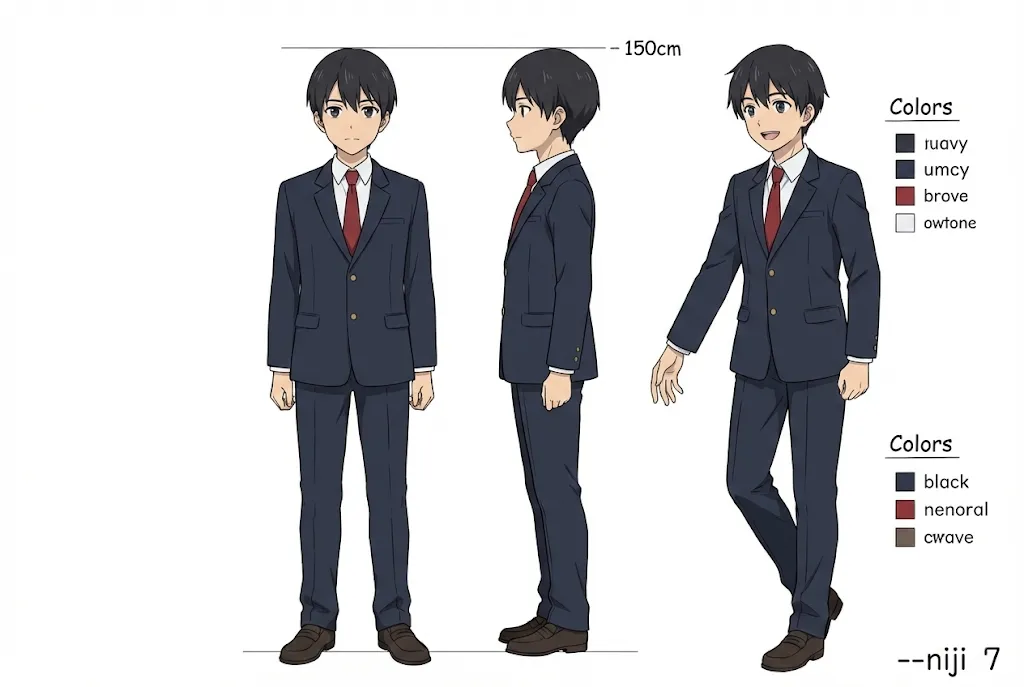
The biggest challenge in AI Anime Dramas is Character Consistency. Viewers need to recognize your protagonist across 20 different shots. While Niji 7 currently lacks a direct --cref (Character Reference) tag equivalent to Midjourney v6, we can achieve 95% consistency using a specific Kling 2.6 pre-production workflow.
The "Sref" Strategy (Style Reference)
Instead of relying on random generation, use Niji 7's --sref feature to lock in the art style. This ensures that even if you change scenes, the "vibe" matches what Kling 2.6 expects for smooth animation.
The Golden Prompt Formula:
[Character Description] + [Action/Pose] + [Environment] --sref https://www.alyssamatesic.com/free-writing-resources/writing-a-main-character --sw 100 --niji 7
For example: 16-year-old anime schoolgirl with silver twin-tails, blue eyes, wearing a sailor uniform, sitting by a window, melancholic expression, afternoon sunlight --sref url_to_character_sheet.png --ar 16:9 --niji 7
Seed Locking for Precision
To assist Kling 2.6 in animating smoothly later, you want your character's features to remain rigid. Use the --seed command in Niji 7.
- Generate your "Master Shot" (the character's standard look).
- Note the Seed Number (e.g.,
--seed 889922). - Reuse this seed for every new angle.
- Tip: If you need the character to turn their head, change the prompt to "side profile" but keep the same seed.
Once you have a folder of 5-10 consistent images, you are ready to move to Kling 2.6.
Step 2: Animating Scenes with Kling 2.6 (The Core Workflow)
This is where the magic happens. We will use Kling 2.6's Image-to-Video (I2V) feature to breathe life into your Niji 7 assets.
1. The "Motion Brush" Technique
Uploading a static image often results in the whole image moving. To create professional anime dramas, you want only specific parts to move (e.g., hair blowing in the wind, eyes blinking).
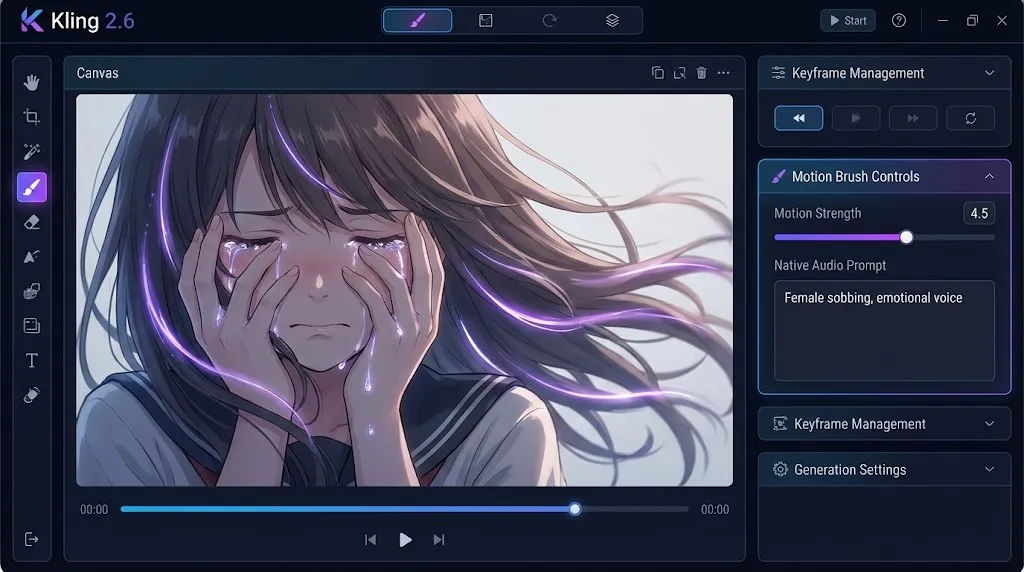
- Action: In the Kling 2.6 interface, use the Motion Brush.
- Targeting: Paint over the character's hair and eyes.
- Static Elements: Leave the background unpainted (unless you want a camera pan).
- Param: Set "Motion Amplitude" to 4.5. This is the sweet spot for Kling 2.6 to create anime-style limited animation without warping the face.
2. Camera Movement Mastery
Kling 2.6 offers cinema-grade camera controls. For anime dramas, avoid "Zoom" (which can distort 2D lines) and focus on Pan and Tilt.
- The "Reveal" Shot: Use a slow Pan Up (Vertical: +2) to introduce a new character.
- The "Reaction" Shot: Use a subtle Push In (Zoom: +1) combined with a prompt like "eyes widening" to heighten emotion.
3. Prompting for Movement
Even in Image-to-Video, Kling 2.6 needs a text prompt to understand how to move.
- Bad Prompt: "Girl moving."
- Good Prompt for Kling 2.6: "Anime style, high quality, girl turns head slowly to the left, hair flowing gently, vibrant colors, 2d animation style."
Step 3: The Revolution – Kling 2.6 Native Audio
This is the feature that sets Kling 2.6 apart from competitors like Sora or Runway Gen-3. You can generate the sound at the same time as the video.
How to Prompt for Native Audio
When using the Kling 2.6 dashboard, you will see an "Audio Prompt" field. Do not ignore this!
- Dialogue Generation: If you want the character to speak, write the line in quotes.
- Prompt:
Female anime voice saying "I will never forgive you!", emotional, crying tone.
- Prompt:
- Ambient Sound: * Prompt:
School hallway ambience, distant chatter, footsteps echoing, bell ringing.
Kling 2.6 uses an internal LLM to sync the mouth movements (lip-sync) with the generated audio. This saves you hours of editing time in After Effects.
Pro Tip: For Japanese Anime Dramas, Kling 2.6 has excellent support for Japanese prompts. Try entering:
Japanese anime voice, cute girl saying "Ohayou gozaimasu", cheerful.
Advanced Techniques: Achieving 4K Quality
Viral videos require crisp visuals. While Niji 7 outputs high-res images, video generation can sometimes degrade quality. Here is the Kling 2.6 Upscaling Protocol:
- Generate in 720p: Always generate your base video in Standard Definition first to save credits and test the motion.
- Verify Physics: Check if Kling 2.6 hallucinated any artifacts (e.g., an extra finger).
- Upscale to 4K: Use the built-in "Professional Upscale" button in Kling 2.6. Do not use external upscalers like Topaz immediately; Kling 2.6's native upscaler adds details based on the original model's understanding of the scene.
- Frame Interpolation: If you need slow motion, Kling 2.6 can interpolate the standard 24fps output up to 60fps for that buttery smooth "AMV" (Anime Music Video) look.
Comparison: Kling 2.6 vs. The Competition
Why choose Kling 2.6 over others for this specific workflow?
| Feature | Kling 2.6 | Luma Dream Machine | Runway Gen-3 |
|---|---|---|---|
| Anime Line Stability | ⭐⭐⭐⭐⭐ (Excellent) | ⭐⭐⭐ (Okay) | ⭐⭐⭐ (Good) |
| Native Audio | ✅ Yes (Lip-Sync) | ❌ No | ❌ No |
| Motion Control | ✅ Precision Camera | ✅ Basic | ✅ Advanced |
| Niji 7 Compatibility | ⭐⭐⭐⭐⭐ | ⭐⭐⭐ | ⭐⭐⭐⭐ |
As the table shows, Kling 2.6 is the only platform that offers the "Full Stack" solution (Video + Audio + Sync) required for high-frequency anime drama production.
Troubleshooting Common Issues
Even with Kling 2.6, things can go wrong. Here is how to fix them:
- Problem: The anime face melts when the character turns around.
- Fix: Reduce the "Motion Strength" slider in Kling 2.6 from 5.0 to 3.0. Anime faces are sensitive to high motion values.
- Problem: The audio doesn't match the lips perfectly.
- Fix: Ensure your video duration is at least 5 seconds. Kling 2.6 needs a minimum duration to calculate proper lip-sync timing.
- Problem: Niji 7 style looks inconsistent in the video.
- Fix: You likely didn't use the
--srefin your Niji generation. Go back to Step 1 and strictly follow the Seed Locking protocol.
- Fix: You likely didn't use the
Conclusion
The barrier to entry for creating Anime Dramas has never been lower. You no longer need a studio, a voice actor, or an animator. All you need is Niji 7 for the vision and Kling 2.6 for the execution.
By mastering the Kling 2.6 Native Audio and Motion Brush tools, you are not just making "AI videos"; you are creating narrative content that connects emotionally with viewers. The "Anime Screenshot" era is here, and Kling 2.6 is your director's chair.
Ready to start your first series? Head over to kling2-6.com to access the latest version of Kling 2.6 and start creating today.
Disclaimer: This guide focuses on the specific version Kling 2.6 and Niji 7 as of January 2026. Features mentioned, especially Native Audio, are unique selling points of the 2.6 update.
Wan 2.7 Image Meets Kling 2.6: The Ultimate AI Visual Workflow
Discover how the new Wan 2.7 Image model's advanced editing and 3K text rendering capabilities create the perfect asset pipeline for Kling 2.6 video generation.
The Next Generation of Generation: Unpacking the Wan 2.7 Upgrade
The highly anticipated Wan 2.7 Video release marks a turning point, introducing a multi-modal injection system and a studio-grade workflow for creators.
Z-Image Turbo Guide: Running Alibaba''s 6B Beast in ComfyUI (Vs. FLUX)
Forget 24GB VRAM. Alibaba''s Z-Image Turbo (6B) delivers photorealistic results and perfect Chinese text in just 8 steps. Here is your complete ComfyUI workflow guide.
Mastering Kling Motion Control: The Ultimate Guide to AI Digital Puppetry (2026)
A deep dive into Kling Motion Control features. Learn to use Character Orientation modes, fix common errors, and master the workflow for cinematic AI video production.
5 Secret Prompts for Hollywood-Style Cinematic Shots
Struggling with flat lighting? Use these copy-paste prompt formulas to master depth of field and dynamic camera angles.
Veo 4 vs Seedance 2.1: Why the Next AI Video War May Be About Cost, Not Cinematic Quality
Seedance 2.1 is reportedly close, Veo 4 is widely expected around Google I/O, and Gemini Omni Flash has appeared inside Flow. The real question is no longer who looks most cinematic, but who lowers the cost of stable, usable output.
Seedance 2.1 May Be Coming Soon: Reported 20% Quality Gain, Cheaper Tier, and What Creators Should Watch
Seedance 2.1 is reportedly close to launch, with claims of a 20% quality improvement and a cheaper Seedance 2.0 tier. Here is what seems known, what is still unconfirmed, and why the update matters.
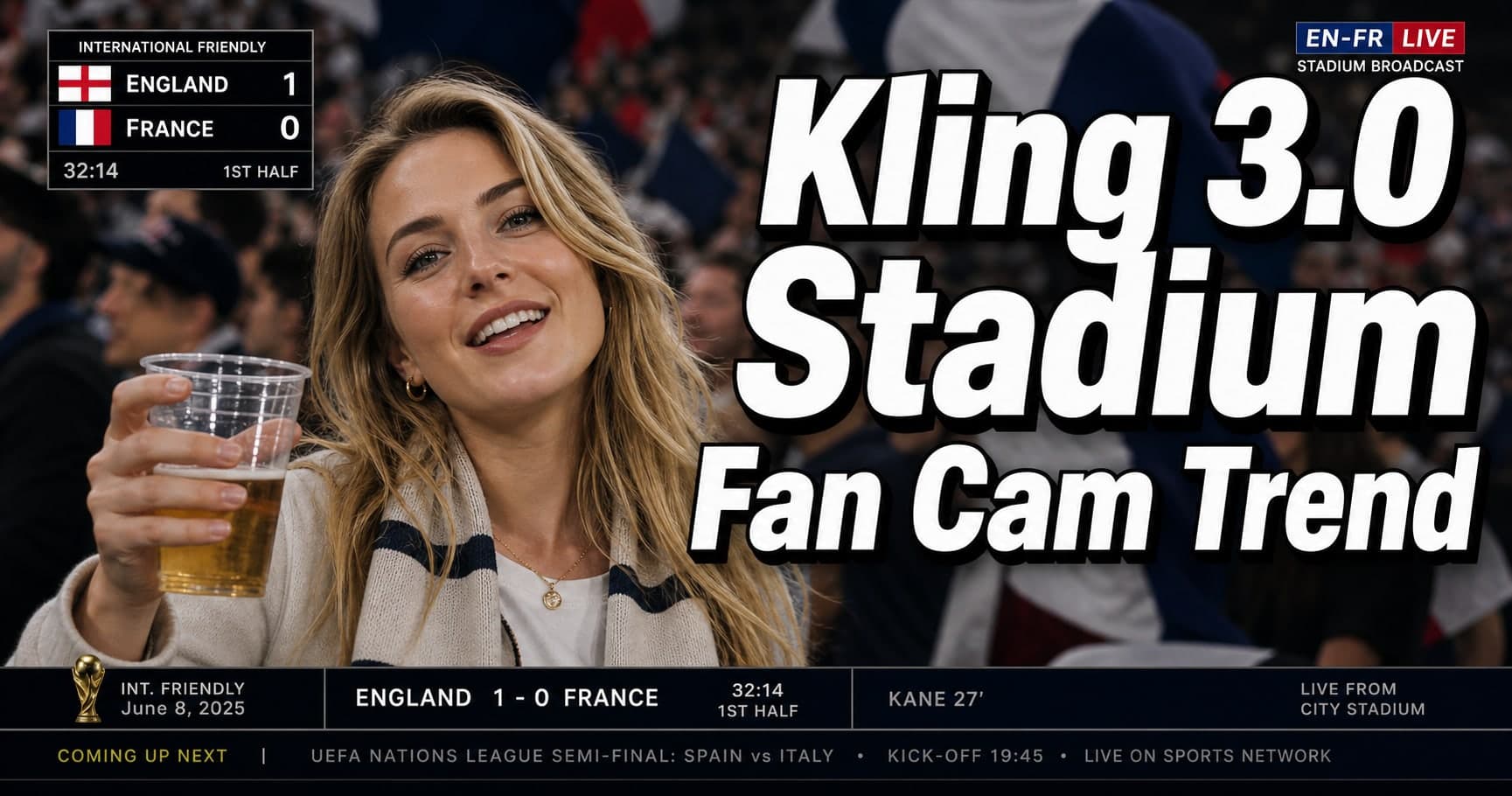
Kling 3.0 Stadium Fan Cam Trend: How to Prompt a Real Broadcast Look
A practical prompt blueprint for the Kling 3.0 stadium fan cam trend: broadcast realism cues, failure fixes, and a safe comparison plan.