
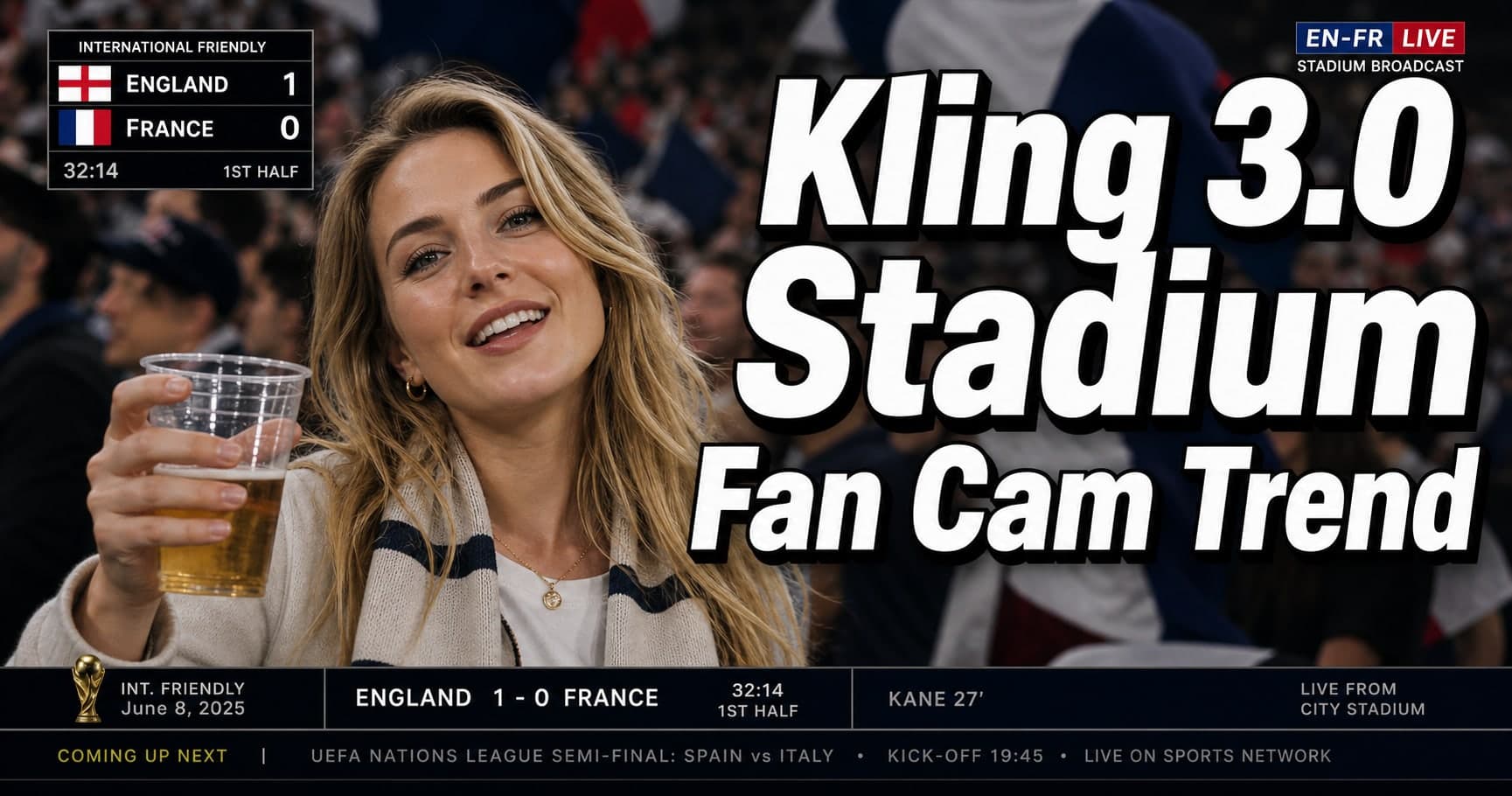
Kling 3.0 Stadium Fan Cam Trend: How to Prompt a Real Broadcast Look
Kling 3.0 Stadium Fan Cam Trend: How to Prompt a Real Broadcast Look
If you鈥檝e seen the Kling 3.0 stadium fan cam trend (often tagged as a 鈥淜BO fan cam鈥?or 鈥渟tadium broadcast鈥?effect), you know why it鈥檚 going viral: it looks like a real TV cutaway shot鈥攖elephoto compression, shallow depth of field, imperfect framing, and that 鈥渓ive broadcast鈥?feel.
This guide is intentionally practical. You鈥檒l get:
- a copyable stadium fan cam AI video prompt skeleton,
- a checklist for broadcast realism (what makes it look 鈥渞eal鈥?,
- quick fixes for the most common failure modes,
- and a placeholder plan to compare Kling 3.0 vs Seedance 2.0 vs Happyhorse 1.0 once we have verified example clips.
What the 鈥渟tadium fan cam鈥?trend actually is
In broadcast terms, this is a 鈥渃rowd cutaway鈥?shot: the camera leaves the field, zooms into the stands, and lingers on a person or a small group for 1鈥? seconds.
The AI version copies those cues. The result feels believable because it鈥檚 not trying to be cinematic. It鈥檚 trying to look like compressed, imperfect, live sports footage.
Why it looks real: the broadcast realism checklist
When a Kling 3.0 fan cam clip looks 鈥渢oo good,鈥?it starts looking fake. Use this checklist to force the right kind of imperfection:
- Telephoto compression: the subject looks 鈥渇lattened,鈥?background feels closer than it should.
- Shallow DoF: the crowd behind is soft and layered, not individually sharp.
- Micro鈥憇hake + handheld drift: tiny stabilization wobble, not perfectly locked.
- Motion blur that matches the camera: blur on fast movement, not smudgy everywhere.
- Noise + compression artifacts: broadcast footage is never perfectly clean.
- Imperfect framing: slightly off鈥慶enter, sometimes clipped shoulders, partial occlusions.
- Minimal acting: the subject doesn鈥檛 鈥減erform.鈥?They just react (blink, small smile, glance).
- Subtle overlays (optional): scoreboard graphics should be faint, not UI鈥慼eavy.
If you can only do two things: pick telephoto + minimal acting. Those two alone push your sports broadcast AI video from 鈥淎I cinematic鈥?to 鈥淭V cutaway.鈥?
Prompt blueprint (copyable skeleton)
Treat the prompt like a checklist, not a poem. Here鈥檚 a safe base prompt for the Kling 3.0 stadium fan cam look:
PROMPT (base):
Live sports broadcast fan cam cutaway in a stadium crowd, telephoto lens compression, shallow depth of field, handheld micro鈥憇hake, realistic broadcast motion blur, natural skin texture, subtle sensor noise and compression, imperfect framing, authentic stadium floodlights, background crowd layered and slightly out of focus.
Subject: a normal spectator reacting naturally (blink, small smile, glance), minimal movement, no exaggerated acting.
Style: real TV broadcast, not cinematic, not glossy, not studio lighting.
Negative prompt (what to forbid)
NEGATIVE: cinematic film look, dramatic color grading, perfect stabilization, hyper鈥憇harp crowd faces, beauty skin smoothing, exaggerated facial motion, anime, CGI, surreal lighting, text overlays covering the frame.
鈥淜BO 鈫?football/soccer鈥?adaptation
If your reference is a Korean baseball vibe but you鈥檙e recreating football/soccer stands, keep the broadcast cues and only change the surface details:
- 鈥渟occer stadium鈥?/ 鈥渇ootball stadium鈥?- 鈥渢eam scarf鈥?/ 鈥渃lub jersey鈥?- 鈥渃hanting crowd鈥?(but keep it subtle)
Don鈥檛 over鈥憇pecify. Over鈥憇pecifying creates AI artifacts.
Reference image rules (this is what makes or breaks the trend)
Most 鈥渇an cam鈥?clips are effectively image-to-video with a very small motion script. So your reference image does 70% of the work.
If you want your stadium fan cam AI video to look like a real broadcast cutaway:
- Use a normal photo (phone camera is fine). Avoid studio portraits.
- Prefer three鈥憅uarter angle (not perfectly front鈥慺acing). Broadcast cameras rarely frame a perfect passport shot.
- Keep hands and accessories simple. Complex hand poses amplify artifacts.
- Avoid strong beauty filters. Smooth skin is the #1 鈥淎I tell鈥?in a sports broadcast AI video.
If you鈥檙e building a reusable workflow: save 3 reference images per identity (neutral face, slight smile, slight surprise). Then the Kling 3.0 fan cam prompt can choose the closest match instead of 鈥渋nventing鈥?expressions.
Camera behavior cheatsheet (the fastest way to get 鈥淭V鈥? not 鈥渕ovie鈥?
Creators often describe this trend as 鈥淜BO fan cam,鈥?but the real trick is camera language. Here鈥檚 a compact cheatsheet you can paste into your prompt when the result looks too cinematic:
- 鈥?*telephoto lens compression**鈥?- 鈥渂roadcast handheld micro鈥憇hake鈥?- 鈥渋mperfect autofocus breathing鈥?- 鈥渟light zoom wobble (operator correction)鈥?- 鈥渃ompression artifacts, mild sensor noise鈥? Those phrases nudge the model toward sports broadcast AI video behavior. You don鈥檛 need to name a lens model. You need to describe how real broadcast footage fails.
Prompt variations (pick one; don鈥檛 stack them all)
Use one of these variations to steer the same Kling 3.0 stadium fan cam base prompt. Pick one per run to avoid contradictions.
Variation A: 鈥淟ive cutaway, 2 seconds鈥?
Add:
- 鈥?鈥憇econd live broadcast cutaway, minimal motion鈥?- 鈥渟ingle small glance to the side, one blink鈥? This is the safest option for the stadium fan cam AI video trend because less motion = less drift.
Variation B: 鈥淐rowd occlusions鈥?
Add:
- 鈥渇oreground occlusions (someone鈥檚 shoulder briefly crosses the frame)鈥?- 鈥減artial obstruction, imperfect framing鈥? Occlusions are a strong realism cue in a sports broadcast AI video, but keep them subtle.
Variation C: 鈥淪coreboard overlay (subtle)鈥?
Add:
- 鈥渇aint scoreboard graphic in the corner, semi鈥憈ransparent鈥?- 鈥渂roadcast lower鈥憈hird style, minimal text鈥? If the overlay looks fake, remove it. A bad overlay harms realism more than it helps.
Workflow: how to iterate without burning time
This trend rewards small, controlled iterations. Treat your Kling 3.0 stadium fan cam generation like a debugging loop:
- Start with the base prompt + one variation.
- If it looks cinematic, add two 鈥淭V imperfections鈥?(noise + imperfect framing).
- If identity drifts, reduce motion complexity and strengthen the reference image.
- Only at the end, try overlays or more complex crowd behavior.
Keep a tiny change log (鈥渨hat changed, what improved鈥?. That鈥檚 how creators consistently ship a clean KBO fan cam trend clip in a few tries.
Fan cam checklist (print this before you generate)
If you want repeatable results, treat the fan cam look like an acceptance checklist. For each stadium fan cam attempt, try to satisfy 12鈥?5 of these:
- Fan cam framing is slightly imperfect (not centered like a portrait).
- Fan cam camera has micro鈥憇hake and tiny corrections.
- Fan cam focus breathes once (subtle autofocus behavior).
- Fan cam lighting reads as stadium floodlights, not studio softbox.
- Fan cam color is neutral broadcast, not cinematic grade.
- Fan cam background crowd is layered and out of focus.
- Fan cam subject has micro鈥憁otions only (blink, breath, small smile).
- Fan cam subject does not 鈥減ose鈥?for the camera.
- Fan cam includes mild compression artifacts/noise.
- Fan cam motion blur matches small camera movement.
- Fan cam has at least one real鈥憌orld nuisance (occlusion, clipped shoulder, edge cutoff).
- Fan cam avoids hyper鈥憇harp hair strands and plastic skin.
- Fan cam AI video does not add fake text labels over faces.
- Sports broadcast AI video looks believable even when muted.
- Stadium fan cam doesn鈥檛 feel like a fashion shoot.
If a Kling 3.0 fan cam run fails, don鈥檛 add more detail. Remove detail. Make the fan cam simpler and the camera more broadcast鈥憀ike.
Copy鈥憄aste prompt modules (mix 2鈥? only)
Use these small modules to tune your Kling 3.0 stadium fan cam prompt without rewriting everything:
- Fan cam camera module: telephoto compression, handheld micro鈥憇hake, imperfect autofocus breathing, slight zoom wobble.
- Fan cam texture module: mild sensor noise, broadcast compression artifacts, natural skin texture, no beauty smoothing.
- Stadium fan cam crowd module: layered crowd, soft bokeh, partial occlusions, imperfect framing.
- Sports broadcast AI video module: real TV cutaway, not cinematic, not studio lighting, neutral broadcast color.
- Fan cam acting module: minimal motion, micro鈥慹xpressions only, one blink, slight glance, no exaggerated reactions.
These modules work across sports. The fan cam grammar stays the same. Only swap surface nouns (soccer vs baseball vs basketball).
Common failure modes (and quick fixes)
1) It looks cinematic, not broadcast
Fix:
- explicitly say 鈥渞eal TV broadcast, not cinematic鈥?- add 鈥渃ompression artifacts鈥?and 鈥渋mperfect framing鈥?- remove any 鈥渃inematic lighting / film grain鈥?wording
2) The subject overacts (too much motion)
Fix:
- add 鈥渕inimal movement鈥?and 鈥渕icro鈥慹xpressions only鈥?- forbid 鈥渄ancing / posing / dramatic reactions鈥?- shorten the clip idea to 鈥?鈥? seconds cutaway鈥?
3) Identity drift (face/hair changes)
Fix:
- use a stronger reference image
- reduce motion complexity (no big head turns)
- keep lighting simple (stadium floodlights, no colored strobes)
4) The crowd looks weirdly sharp
Fix:
- say 鈥渂ackground crowd layered and out of focus鈥?- add 鈥渟hallow depth of field鈥?again
- avoid listing too many crowd details (flags, text, faces)
5) The lighting feels like a studio
Fix:
- explicitly say 鈥渟tadium floodlights鈥?and 鈥渉arsh overhead light鈥?- remove 鈥渟oft key light鈥?or 鈥渃inematic rim light鈥?language
- prefer 鈥渘atural broadcast color鈥?over 鈥渢eal/orange grading鈥? Broadcast realism is boring on purpose. If you chase 鈥減retty,鈥?the Kling 3.0 fan cam output starts to look staged.
A simple 鈥渂roadcast realism鈥?acceptance test
Before you post, do a 10鈥憇econd sanity check. If you can answer 鈥測es鈥?to most of these, your stadium fan cam AI video is ready:
- Would someone believe this is a real broadcast cutaway if they saw it muted?
- Does the subject move less than you expect (not more)?
- Is the crowd behind soft and layered (not a wall of sharp faces)?
- Is the camera slightly imperfect (micro鈥憇hake, autofocus breathing)?
- Is there at least one 鈥渞eal world nuisance鈥?(occlusion, framing clip, compression)?
If you fail the test: remove complexity. Less motion, fewer details, more broadcast cues.
Kling 3.0 vs Seedance 2.0 vs Happyhorse 1.0 (comparison placeholder)
You asked for a same鈥憄rompt comparison across models. We鈥檒l do it, but we鈥檒l do it honestly: we鈥檒l only publish results once we have verified clips and consistent inputs.
For now, this is the measurement plan (placeholder section):
| Model | What we鈥檒l test | What 鈥済ood鈥?looks like | Status |
|---|---|---|---|
| Kling 3.0 | broadcast camera feel + identity stability | telephoto compression + natural micro鈥憁otions | TBD (waiting for clips) |
| Seedance 2.0 | motion naturalness under minimal acting | fewer uncanny facial micro鈥慻litches | TBD (waiting for clips) |
| Happyhorse 1.0 | crowd realism + lighting correctness | believable stadium floodlights + occlusions | TBD (waiting for clips) |
If you send 1鈥? representative videos tomorrow, we鈥檒l fill this table with real observations and screenshots.
Quick recap (so you can ship a clean clip)
Before you publish a fan cam, run this mini checklist:
- Does the stadium fan cam feel like a TV cutaway (not a film scene)?
- Does the fan cam subject move less than expected (minimal acting)?
- Does the fan cam camera feel imperfect (micro鈥憇hake + autofocus breathing)?
- Does your fan cam AI video include mild compression/noise?
- Would a sports broadcast AI video viewer believe it for 2 seconds?
If you鈥檙e unsure, simplify the fan cam: less motion, fewer details, more camera cues. A simpler stadium fan cam usually beats an overdescribed fan cam AI video.
Ethics: don鈥檛 let a 鈥渇an cam鈥?become a deepfake
This trend is fun, but it鈥檚 also easy to misuse. If the clip could plausibly be interpreted as a real person in a real stadium:
- add a small 鈥淎I鈥慻enerated鈥?label or watermark,
- avoid using a real person鈥檚 likeness without permission,
- and don鈥檛 pair it with misleading event claims (鈥渢his happened at X match鈥?.
That keeps your stadium broadcast AI video content shareable without turning into a trust issue.
10 Viral Prompts for Kling 3.0 Motion Control: From Dancing Cats to VTubers
Discover 10 viral prompts for Kling 3.0 Motion Control. Learn how to create AI cat dancing videos, animate historical figures, and build VTuber content with Kling 3.0 ai video generator.
Veo 4 vs Seedance 2.1: Why the Next AI Video War May Be About Cost, Not Cinematic Quality
Seedance 2.1 is reportedly close, Veo 4 is widely expected around Google I/O, and Gemini Omni Flash has appeared inside Flow. The real question is no longer who looks most cinematic, but who lowers the cost of stable, usable output.
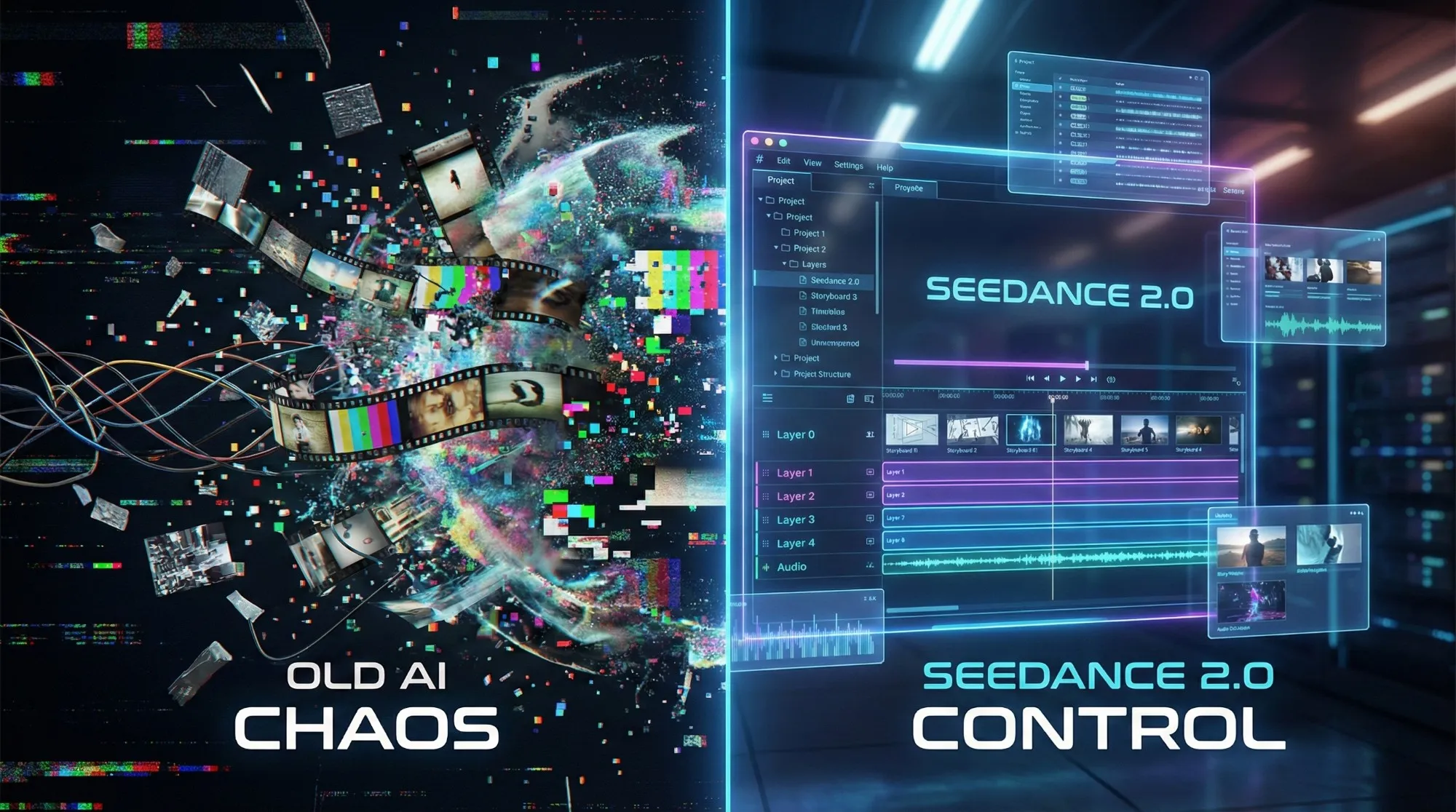
Seedance 2.1 May Be Coming Soon: Reported 20% Quality Gain, Cheaper Tier, and What Creators Should Watch
Seedance 2.1 is reportedly close to launch, with claims of a 20% quality improvement and a cheaper Seedance 2.0 tier. Here is what seems known, what is still unconfirmed, and why the update matters.
Gemini Omni model: What It Is (and How to Build Safely While It’s Still Unclear)
A practical guide to the Gemini Omni model rumor cycle: what’s confirmed, what’s not, and how to ship video features safely using Veo 3.1 today.
Kling 3 4k Cost Routing
SEO-friendly description for search engines
Kling 3 4K Multi-Shot Consistency: Lock Sheets, Shot Rules, and a Ship-Pass Workflow
SEO-friendly description for search engines
Kling 3 I2V 4K vs T2V 4K: What Ships Cleaner (and What Iterates Faster)
SEO-friendly description for search engines
Kling 3.0 vs HappyHorse 1.0: A Production-First Comparison (Quality, Control, Audio, API)
A production-first Kling 3.0 vs HappyHorse 1.0 comparison: what sources claim, how to read leaderboards, a 30-minute evaluation harness, and a decision matrix for short-form teams.