
GPT Image 2 360 VR Background: Lieferworkflow f��r nahtlose Equirectangular-Panoramen
GPT Image 2 360 VR background: ein Lieferworkflow (nicht nur ?sch?nes�� Panorama)
Ein ?breites Bild�� ist schnell erzeugt. Ein GPT Image 2 360 VR background als Deliverable muss im Viewer beim Rundumblick stabil bleiben.
Dieser Beitrag ist ein Lieferworkflow. Ziel: ein VR 360 background mit seamless wrap-around, stable horizon und sauberem 2:1 equirectangular Layout ohne sichtbaren Seam.
Workflow komplett auf unserer Seite:
- Start (Definition + Ablauf): /360-panorama
- Baseline erzeugen (text-to-image): /text-to-image/gpt-image-2-360-panorama
- Seam-fix / verfeinern (image-to-image): /image-to-image/gpt-image-2-360-panorama
What you are making (deliverable definition)
A GPT Image 2 360 VR backdrop is a single rectangular image that wraps onto a sphere in a viewer. In practice, your deliverable is a gpt image 2 360 panorama in equirectangular (lat-long) projection.
To be “VR-ready,�?it must pass viewer QA:
- Wrap-around edges match (no visible seam)
- Horizon stays continuous across the seam
- Top and bottom poles are acceptable (no extreme smearing)
- No accidental text or logos unless you asked for them
If your output looks fine flat but fails in a viewer, it’s not a deliverable yet.
The deliverable spec (what “VR-ready�?means)
When someone asks for a 360 VR background, they’re not asking for “a cool picture.�?They’re asking for a file that behaves predictably in projection.
Use this spec as your acceptance bar for a GPT Image 2 360 panorama:
- Projection: equirectangular / lat-long 360 panorama
- Aspect ratio: 2:1 equirectangular panorama (the safest standard for viewers)
- Continuity: seamless 360 panorama wrap-around (left/right edges meet)
- Horizon: stable horizon (no kink or jump at the seam)
- Poles: zenith/nadir details don’t collapse into mush
- Safety: no unintended text, labels, or signage (unless requested)
If you only adopt one habit: judge the immersive VR background in a viewer, not on a flat canvas.
A deliverable scorecard (copy/paste before you share)
If you’re shipping a GPT Image 2 360 VR background to a teammate or client, include a tiny scorecard with the file. It keeps expectations clear, and it gives you an objective “pass/fail�?bar for every gpt image 2 360 panorama you produce.
Copy this block into your handoff notes:
Deliverable: GPT Image 2 360 VR background (equirectangular 2:1, seamless).

[ ] 2:1 equirectangular panorama (lat-long) mapping looks correct in viewer
[ ] Seamless 360 panorama: wrap-around edges match (no visible seam)
[ ] Horizon is stable across the seam (no kink or jump)
[ ] Poles (zenith/nadir) are acceptable (no extreme smear)
[ ] No accidental text/logos unless requested
[ ] Prompt + constraints saved for reproducibility
This is intentionally boring. A VR 360 background is a deliverable, not a vibe.
One-stop SOP: generate �?seam-fix �?QA (all on one site)
This is the shortest, repeatable loop for a GPT Image 2 360 VR background:
- Generate one baseline gpt image 2 360 panorama (text-to-image).
- Preview it in a viewer and pick the single biggest failure (seam, horizon, poles, or text).
- Seam-fix / refine the same image (image-to-image).
- Re-preview until the VR-ready equirectangular output passes the checklist.
- Save the prompt + constraints with the final file (so you can reproduce it).
Two rules keep you out of trouble:
- Don’t change everything at once. Keep the constraints stable and iterate one failure at a time.
- Keep “hero�?subjects away from the extreme left/right edges (the seam danger zone).
Seam-safe composition rules (so your 360 VR background survives wrap-around)
Even a perfect equirectangular 360 panorama will look broken if you place the most important object right on the seam. For a 360 panorama background you plan to ship, use these seam-safe rules:
- Put the “hero�?subject in the center 60�?0% of the frame (not at the far left/right).
- Avoid long straight lines that run into the seam (rails, fences, ledges). If you must include them, keep them near the center.
- Keep lighting direction consistent across the wrap (one key light story).
- If you need signage, request it explicitly; otherwise treat “no text�?as default for a GPT Image 2 360 VR backdrop.
These small composition constraints raise the success rate of a gpt image 2 360 vr background more than adding adjectives.
Step 1 �?Generate a baseline panorama (text-to-image)
Use the generator here: /text-to-image/gpt-image-2-360-panorama
The baseline prompt should read like a spec for an equirectangular 360 panorama:
- Scene (where you are, what surrounds you)
- Camera POV (eye-level / first-person / center of space)
- Lighting (one coherent lighting story)
- Projection constraints (lat-long + wrap-around seam + stable horizon)
- Seam safety (move key subjects off the seam)
A constraints block that makes results repeatable
Most GPT Image 2 360 background attempts fail because the model was never told what must stay consistent at the seam. Keep this block stable and swap only the scene details:
[SCENE DESCRIPTION].
Render as a seamless 360 panorama in equirectangular (lat-long) projection.
Wrap-around left/right edges must match with no visible seam.
Stable horizon, coherent lighting, no text unless requested.
Keep important subjects away from the extreme left/right seam area.
That’s the difference between “lucky�?and “repeatable�?for a gpt image 2 360 vr background.
What if the image isn’t exactly 2:1?
For a 2:1 equirectangular panorama, exact 2:1 is the safest standard. Some tools output slightly off-ratio images or add padding. Don’t panic, but don’t skip QA:
- If the lat-long 360 panorama maps cleanly in your viewer and the seam is stable, it can still be usable.
- If you see stretching at the poles or a seam that “slides,�?treat it as a failed VR-ready equirectangular deliverable and iterate.
In other words: the viewer decides whether your GPT Image 2 360 background is shippable.
A complete baseline example (copy + swap the scene)
If you want a concrete starting point, here’s a complete gpt image 2 360 panorama draft:
First-person POV standing in the center of a quiet, modern art gallery. Smooth concrete floors, soft indirect lighting, high ceilings with skylights.
Minimal furniture, clean walls, subtle reflections, realistic materials and scale.
Render as a seamless 360 panorama in equirectangular (lat-long) projection.
Wrap-around left/right edges must match with no visible seam; stable horizon.
No text unless requested. Keep key subjects away from the extreme left/right seam area.
You can use the same structure for any 360 panorama background: metro cabin, sci-fi corridor, boutique showroom, forest clearing, rooftop skyline.
Step 2 �?Seam-fix and refine (image-to-image)
Use the editor here: /image-to-image/gpt-image-2-360-panorama
Switch to image-to-image when you’re “close.�?That usually means:
- The scene is right
- The lighting feels coherent
- The camera POV is acceptable
- But the seam or horizon fails viewer QA
At this stage, don’t restart. Fix the same GPT Image 2 360 panorama you already generated.
What a seam-fix pass should do
A seam-fix pass is not a style makeover. It’s a repair pass that makes the seamless 360 panorama usable:
- Align wrap-around edges (left/right continuity)
- Stabilize horizon across the seam
- Reduce local artifacts (smears, warped signage, broken geometry)
- Preserve the layout (don’t “change the room�?
If you only do one edit pass for a GPT Image 2 360 VR background, do a seam-fix pass.
A seam-fix prompt you can reuse
Upload your best baseline equirectangular 360 panorama and use something like:
Fix wrap-around seam continuity (left/right edges must match) and stabilize the horizon.
Preserve the same scene layout, camera POV, and lighting.
Clean up artifacts and improve textures without changing the composition.
Keep it equirectangular (lat-long) and seamless. No text.
This is how you turn a “nearly there�?VR 360 background into a deliverable.
Step 3 �?Viewer QA (acceptance checklist you can reuse)
The fastest way to get repeatable GPT Image 2 360 VR background quality is to treat QA as part of generation.
Use this acceptance checklist every time you preview a 360 VR background:
- Seam: do you see a line where wrap-around joins?
- Horizon: does it stay continuous when you cross the seam?
- Poles: look straight up and down (zenith/nadir). Any unreadable smear?
- Text: any accidental text, labels, or logos?
- Lighting: does exposure stay coherent as you rotate?
- Seam safety: did the hero subject drift onto the seam edge?
If the seam fails: go back to Step 2 and run one more seam-fix pass.
Handoff notes (what to save with the final file)
When you ship a GPT Image 2 VR background 360, save:
- The exact prompt (scene + constraints block)
- Any seam-fix prompt you used
- The final image file (preferably PNG for clean edges)
That turns a one-off gpt image 2 360 vr background into a reusable asset.
Failure �?fix tree (fast troubleshooting)
Use this section when your gpt image 2 360 panorama looks close but fails viewer QA. Don’t brainstorm. Pick the matching symptom and apply the smallest fix.
Symptom: visible seam line (wrap-around mismatch)
What it means: the model didn’t treat the left/right edges as the same world.
Fix sequence:
- Move key subjects away from the seam extremes (composition change).
- Re-run with explicit “wrap-around left/right edges must match�?constraint.
- If you’re already close, seam-fix in the editor (Step 2) instead of regenerating.
Symptom: horizon jumps or kinks at the seam
What it means: camera geometry drifted across the wrap.
Fix sequence:
- Add “stable horizon�?to the constraints block.
- Simplify the scene’s strongest perspective lines near the seam (avoid long rails or sharp vanishing points at the edges).
- Seam-fix in image-to-image while preserving layout.
Symptom: poles smear (zenith/nadir collapse)
What it means: the top/bottom of the projection can’t maintain detail.
Fix sequence:
- Reduce micro-detail at the ceiling/sky (simpler clouds, simpler ceiling fixtures).
- Ask for “clean poles�?or “reduce pole smear�?in your seam-fix pass.
- Prefer calm lighting; harsh high-contrast patterns tend to smear at poles.
Symptom: accidental text or signage appears
What it means: the model “helped�?by adding labels.
Fix sequence:
- Add “no text unless requested�?to the constraints block.
- Use image-to-image cleanup (Step 2) and explicitly remove text.
Where these backgrounds are useful (quick ideas)
If you’re not sure what to generate first, here are practical immersive VR background ideas:
- VR moodboards for pitches (fast, immersive context)
- Virtual showrooms (product environment without building a full 3D scene)
- Creator background sets (consistent look across multiple assets)
- Event backdrops (quick “you are here�?environments)
All of these benefit from the same deliverable spec: VR-ready equirectangular output that passes viewer QA.
Three prompt starters for a VR 360 background (fast, practical)
If you want speed, don’t invent a brand-new structure every time. Reuse a prompt “skeleton�?and swap the scene. These starters are designed for a GPT Image 2 360 VR background deliverable, not just a pretty gpt image 2 360 panorama.
GPT Image 2 360 VR background: First-person POV in a calm, minimalist product showroom with soft studio lighting, smooth surfaces, and realistic materials.
Render as a seamless 360 panorama in equirectangular (lat-long) projection. Wrap-around edges must match. Stable horizon. No text.

GPT Image 2 360 VR background: Eye-level POV in a cozy cabin interior at night, warm practical lamps, wood textures, windows with snowfall outside.
Render as a seamless 360 panorama in equirectangular (lat-long) projection. Wrap-around edges must match. Stable horizon. No text.

GPT Image 2 360 VR background: Centered POV on a rooftop lounge at golden hour, wide skyline, gentle haze, clean gradients, coherent sunlight direction.
Render as a seamless 360 panorama in equirectangular (lat-long) projection. Wrap-around edges must match. Stable horizon. No text.
After the first render, treat it like a pipeline: if the seamless 360 panorama fails viewer QA, seam-fix the same GPT Image 2 360 panorama in the editor.
A tiny terminology kit (for consistent handoffs)
If you share files with a team, consistent labels prevent confusion. You can copy these phrases directly into notes:
- Deliverable name: GPT Image 2 360 VR background
- Format label: gpt image 2 360 panorama
- Projection label: equirectangular 360 panorama
- Ratio label: 2:1 equirectangular panorama
- QA label: seamless 360 panorama
- Viewer label: VR 360 background
- Alternate label: 360 VR background
- Acceptance label: VR-ready equirectangular
Next steps (CTA-first)
Shortest path:
- Generate one baseline GPT Image 2 360 VR background.
- Preview it in a viewer.
- Seam-fix that same image.
Repeat this loop to build a consistent 360 VR background set.
Start here: /360-panorama
Generate: /text-to-image/gpt-image-2-360-panorama
Refine: /image-to-image/gpt-image-2-360-panorama
Roadmap: exportable VR packs (coming soon)
Today, this workflow produces a ship-ready GPT Image 2 360 panorama you can preview and share.
Next, we’re working toward exportable “VR packs�?so you can download a ready-to-use bundle (without leaving the site). This isn’t available yet, so treat it as roadmap—not a current feature.
Kling 3 4K vs Pro (1080p): Wann sich 4K lohnt (und wann nicht)
Ein praktischer Entscheidungsrahmen fuer Kling 3 4K vs Pro (1080p): wann 4K Detail, Motion und Kompression verbessert - und wann 1080p der bessere Default ist.
Kling 3 4K workflow: Prompts, Shot-Planung und Export-Settings, die wirklich halten
Kling 3 4K workflow fuer brauchbare Deliverables: Two-pass Iteration, Prompt-Templates, safe complexity Regeln und Export-Hygiene fuer Plattform-Rekompression.
Kling 3 native 4K: Was sich bei Qualitaet, Bewegung, Kompression und realer Nutzung wirklich aendert
Was Kling 3 native 4K gegenueber 1080p veraendert: schaerfere Details, stabilere Bewegung, weniger Artefakte - und wann 4K wirklich sinnvoll ist.
Kling 3.0 vs HappyHorse 1.0: Produktionsnaher Vergleich (Qualität, Kontrolle, Audio, API)
Kling 3.0 vs HappyHorse 1.0 aus Produktionssicht: Claims, Leaderboards richtig lesen, 30‑Minuten-MVE und Entscheidungsmatrix.
HappyHorse AI Video Generator: Was das neue Modell kann
Entdecken Sie HappyHorse, ein neues KI-Videomodell mit Text-zu-Video, Bild-zu-Video, Video-zu-Video, nativer Audioausgabe und kreatorfokussierten Workflows.
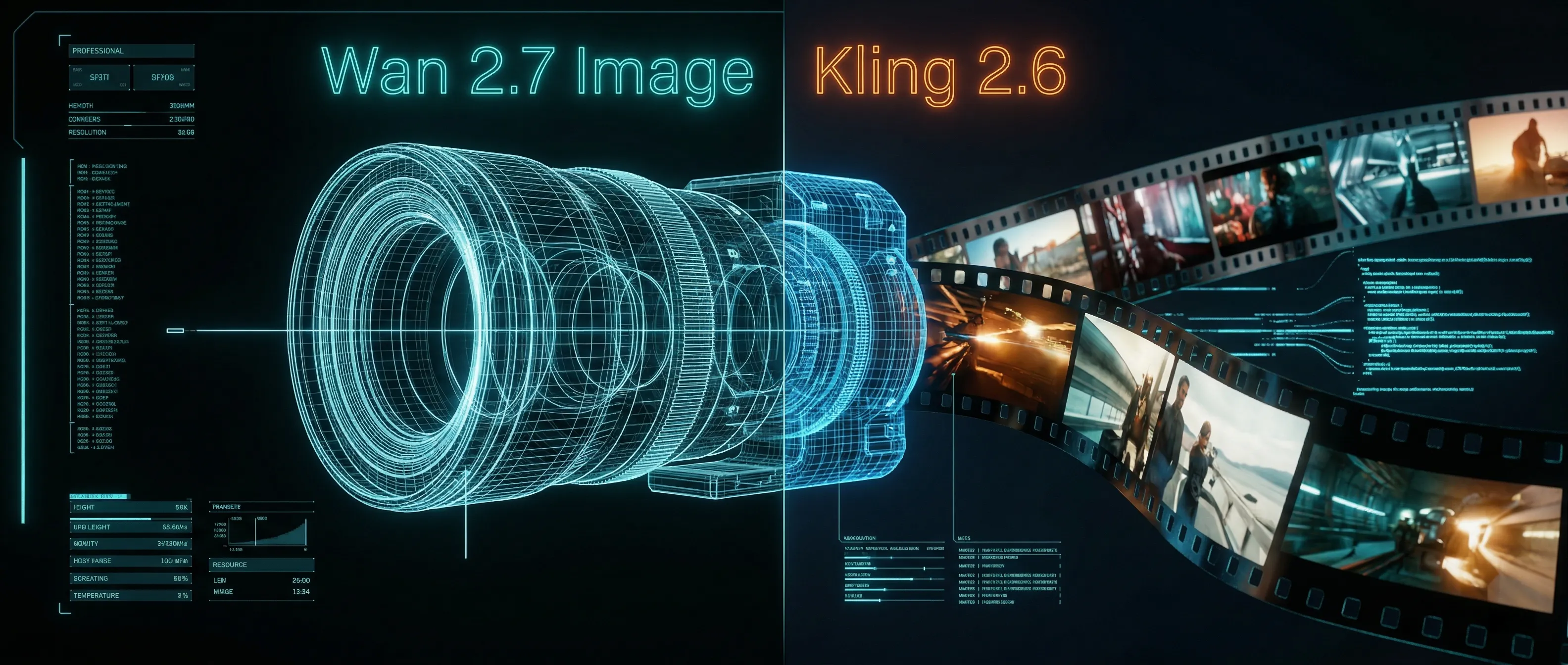
Wan 2.7 Image Meets Kling 2.6: The Ultimate AI Visual Workflow
Entdecken Sie, wie die fortschrittlichen Bearbeitungs- und 3K-Text-Rendering-Funktionen des neuen Wan 2.7 Image-Modells die perfekte Asset-Pipeline für die Kling 2.6-Videogenerierung schaffen.
The Next Generation of Generation: Unpacking the Wan 2.7 Upgrade
The highly anticipated Wan 2.7 Video release marks a turning point, introducing a multi-modal injection system and a studio-grade workflow for creators.
Audio-Visuelle Synchronisation meistern: Mein Praxis-Guide zu Kling Video 3.0 Omni
Ein umfassender Guide zur nativen Audio-Video-Fähigkeit von Kling Video 3.0 Omni. Lernen Sie, wie Sie präzise KI-Mundbewegungen, perfekte Lippensynchronisation und komplexe Emotionsreproduktion für professionelle KI-Video-Inhalte erzielen.